


Looking for the best mouse for 2026? The right mouse depends on how you use your computer. A productivity mouse can make long working sessions more comfortable, while a gaming mouse can provide faster response, precise tracking and additional controls.
We have selected seven mouse options covering all-round computer use, productivity, laptops, travel, competitive gaming, extra controls, budget gaming and quiet everyday use.
Before checking our recommendations, see our Mouse Buying Guide 2026: How to Choose the Right Mouse for help choosing the right size, grip, DPI, connectivity, buttons and other features.
🏆 Pro Tip: Best All-Rounder Mouse
Logitech MX Master 4
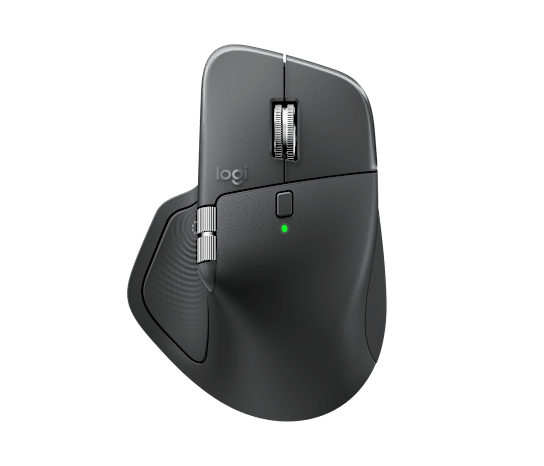
The Logitech MX Master 4 is our top all-rounder because it is designed to handle a wide variety of computer tasks. Whether you're working in CAD software, graphic design applications, office programs, editing tools or everyday browsing, it provides the precision, comfort and customizable controls needed for different workflows.
- Ergonomic design for long working sessions
- 8,000 DPI tracking
- Customizable controls
- MagSpeed scrolling
- Wireless connectivity
🖥️ Best Productivity Alternative
Logitech MX Master 3S
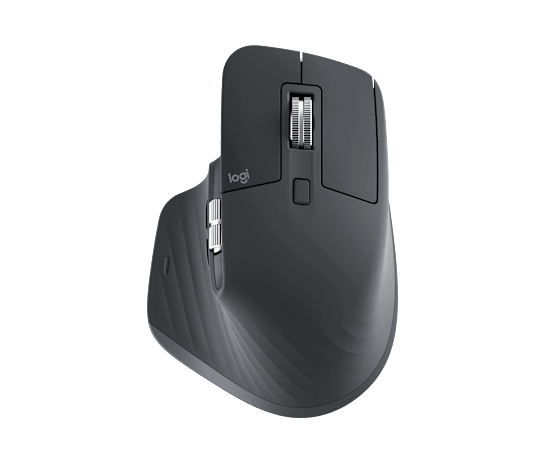
The Logitech MX Master 3S remains an excellent productivity-focused mouse for people who want a comfortable design, smooth scrolling and useful controls for daily work.
- 8,000 DPI high-precision tracking
- Quiet Click technology
- MagSpeed electromagnetic scrolling
- Ergonomic productivity-focused design
💻 Best Mouse for Laptop & Travel
Logitech MX Anywhere 3S
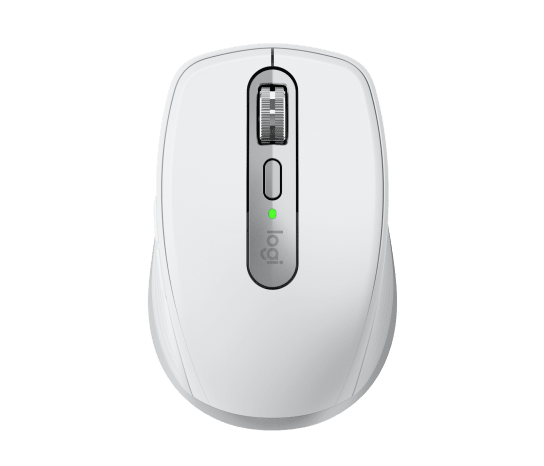
The Logitech MX Anywhere 3S is a compact option for laptop users and people who frequently work away from their desk.
- Compact and portable design
- 8,000 DPI tracking
- Designed for use on different surfaces
- Quiet clicks and smooth scrolling
🎮 Best Mouse for Competitive Gaming
Razer DeathAdder V3 Pro

The Razer DeathAdder V3 Pro is designed for competitive gamers who prioritize a lightweight ergonomic design, precise tracking and wireless performance.
- Lightweight ergonomic gaming design
- Focus Pro 30K Optical Sensor
- Designed for competitive gaming
- Wireless gaming performance
🕹️ Best Gaming Mouse with Extra Controls
Logitech G502 X Wired
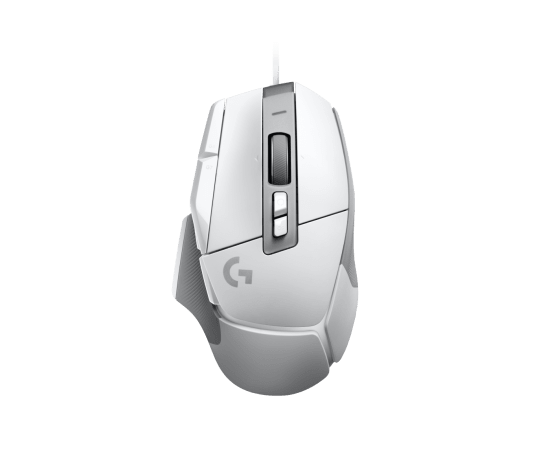
The Logitech G502 X is a feature-rich wired gaming mouse for players who want additional controls, precise tracking and a familiar gaming design.
- LIGHTFORCE hybrid optical-mechanical switches
- HERO 25K gaming sensor
- Multiple programmable controls
- Wired connection
💰 Best Budget Wireless Gaming Mouse
Logitech G304 LIGHTSPEED
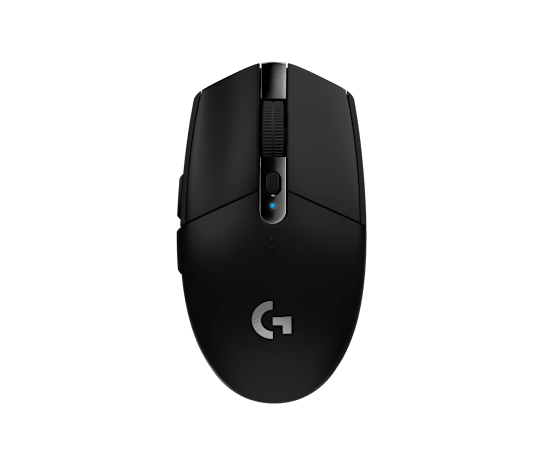
The Logitech G304 LIGHTSPEED is a practical choice for gamers who want wireless gaming performance without moving to a more expensive premium mouse.
- LIGHTSPEED wireless technology
- HERO gaming sensor
- Lightweight and simple design
- Long battery life
🤫 Best Mouse for Quiet Office & Study
Logitech M331 Silent Plus
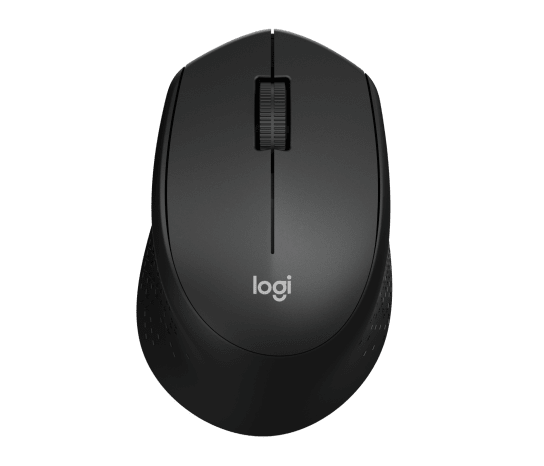
The Logitech M331 Silent Plus is a practical option for users who want a simple wireless mouse with quieter clicking for office, study and everyday computer use.
- SilentTouch technology
- Reduced clicking sound
- Comfortable right-handed design
- Reliable wireless connection
📊 Best Mouse Picks for 2026: Quick Comparison
| Mouse | Best For | Type |
|---|---|---|
| Logitech MX Master 4 | CAD, graphic design, office work & all-round use | Wireless |
| Logitech MX Master 3S | Productivity & creative work | Wireless |
| Logitech MX Anywhere 3S | Laptop & travel | Wireless |
| Razer DeathAdder V3 Pro | Competitive gaming | Wireless |
| Logitech G502 X | Gaming & extra controls | Wired |
| Logitech G304 LIGHTSPEED | Budget gaming | Wireless |
| Logitech M331 Silent Plus | Quiet office & study | Wireless |
🔎 Before You Buy a Mouse
Before choosing a mouse, consider how you normally use your computer. A versatile mouse may be better if you work across CAD, design, office applications and everyday tasks, while a specialized gaming mouse can be a better choice for competitive gaming.
- Choose the right size: Make sure the mouse fits your hand comfortably.
- Consider your grip: Palm, claw and fingertip grips can affect which mouse shape feels best.
- Check connectivity: Choose wired, Bluetooth or dedicated wireless connectivity based on your setup.
- Consider the controls: Extra programmable buttons can be useful for gaming, CAD and productivity.
- Think about portability: Compact mice are convenient for laptop and travel use.
- Consider your environment: Silent-click mice can be useful in offices, libraries and study spaces.
For a more detailed explanation of mouse size, grip, DPI, connectivity and other features, read our Mouse Buying Guide 2026 .
🏆 Final Recommendation
The best mouse depends on your needs rather than simply choosing the most expensive option.
For an all-round mouse capable of handling CAD, graphic design, office work, editing, browsing and everyday use, the Logitech MX Master 4 is our top choice.
The MX Master 3S remains an excellent productivity alternative, while the MX Anywhere 3S is better suited to laptop users and frequent travelers.
For competitive gaming, the Razer DeathAdder V3 Pro is aimed at players who prioritize lightweight design and precise performance. The Logitech G502 X is a better choice if you want additional controls, while the Logitech G304 LIGHTSPEED offers a more affordable wireless gaming option.
For quiet office and study environments, the Logitech M331 Silent Plus is a practical choice.
Always check the latest product specifications, availability and seller information before purchasing.


Comments